
Best ChatGPT Prompts for a Grocery List

AskSide
October 22, 2026
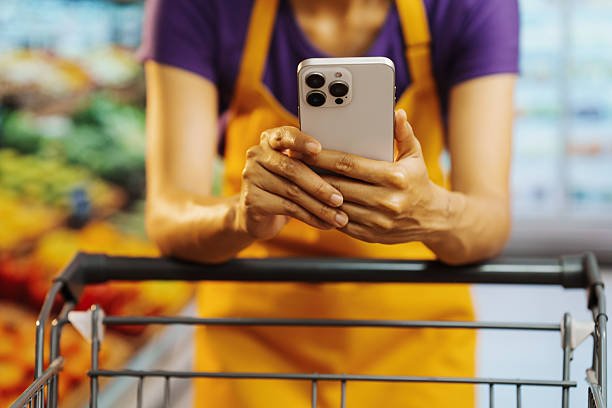
Creating a comprehensive shopping guide is much easier when you use the best ChatGPT prompts for a grocery list to organize your weekly needs. These automated instructions allow users to input dietary preferences, budget constraints, and household sizes to generate a perfectly sorted catalog of items. By leveraging artificial intelligence for your food planning, you can significantly reduce food waste and save money on every trip to the supermarket.
The transition from a disorganized schedule to a high-performance lifestyle depends on the specificity of the commands you give to the artificial intelligence model. This article explores the various ways you can use advanced language models to revolutionize how you stock your pantry.
These are the Best ChatGPT Prompts for a Grocery List
Generating a functional shopping guide requires more than just a list of ingredients; it needs a strategy that accounts for store layouts, price fluctuations, and meal variety. The best ChatGPT prompts for a grocery list for 2025 and 2026 use advanced logical structures to ensure you never forget a vital item or overspend on impulse buys. Below is a detailed collection of instructions designed to help you master your grocery runs through the power of precise artificial intelligence prompting.
1. Categorizing Items by Supermarket Aisle
One of the most frustrating aspects of shopping is walking back and forth across the store because your list is disorganized. This ChatGPT prompt for a grocery list instructs the AI to group your items by common supermarket sections like produce, dairy, meats, and frozen foods. By following a list sorted this way, you can move through the store in a single logical loop, saving significant time and reducing the fatigue associated with large shopping trips. This is especially helpful in large big-box retailers where the distance between aisles is substantial. The prompt ensures that even if you enter your items in a random order, the output is perfectly streamlined for the physical shopping experience.
Act as a professional personal shopper. I will provide a random list of food items. Your task is to organize them into a grocery list categorized by supermarket aisles such as Produce, Dairy, Meat, Pantry, Frozen, and Household. Make the list easy to read with bullet points and ensure that similar items are grouped together within each category.
2. Creating a Budget-Conscious Shopping Strategy
Inflation has made food prices unpredictable, making a strict budget more important than ever for the average household. This best prompt for ChatGPT for a grocery list asks the AI to prioritize cost-effective alternatives, such as store brands or frozen vegetables over fresh ones when they are out of season. It helps you identify which items are essential and which are luxuries, allowing you to cut back without sacrificing the nutritional quality of your meals. By setting a hard limit, such as 100 dollars for the week, the AI can suggest quantities that keep you within your financial boundaries. This prompt is a vital tool for students, large families, and anyone looking to optimize their weekly spending.
I have a total budget of 100 dollars for this week's groceries for a family of two. Create a grocery list that covers breakfast, lunch, and dinner for 7 days. Focus on high-protein, low-cost staples like eggs, beans, and seasonal vegetables. Suggest generic or store-brand versions for pantry items and provide an estimated cost for each category to ensure I stay under the 100-dollar limit.
3. Mapping Ingredients from a Weekly Meal Plan
The most efficient way to shop is to buy only what you need for specific recipes, which prevents the accumulation of unused food that eventually spoils. This prompt allows you to input your planned meals for the week, and the AI will extract every single ingredient required to make them. It also suggests "cross-over" ingredients that can be used in multiple dishes, such as using a large bag of spinach for both a morning smoothie and a dinner salad. This reduces the number of unique items you need to purchase and ensures your fridge is empty by the end of the week. This is widely considered the best ChatGPT prompts for a grocery list approach for those who practice intentional cooking.
I am planning to cook the following meals this week: 1. Vegetable Stir-fry, 2. Chicken Tacos, 3. Lentil Soup, and 4. Spaghetti Bolognese. Generate a comprehensive grocery list based on these recipes. Include quantities for each item assuming I am cooking for 4 people. Please exclude common pantry staples like salt, pepper, and olive oil unless I specifically ask for them.
4. Optimizing for a Specific Dietary Protocol
Whether you are following a Keto, Vegan, or Paleo diet, certain foods are off-limits, and finding the right substitutes can be a challenge. This ChatGPT prompt for a grocery list ensures that every item suggested adheres strictly to your chosen dietary lifestyle. It can filter out hidden sugars, grains, or animal products that might be found in processed foods. The AI acts as a digital nutritionist, suggesting whole-food alternatives that satisfy your cravings while keeping you on track with your health goals. This is particularly useful for those who are new to a specific diet and are not yet familiar with which brands or items are "safe" to consume.
Generate a grocery list for a 7-day strict Ketogenic diet. Focus on high-fat, moderate-protein, and very low-carb items. Include plenty of leafy greens, healthy fats like avocados and nuts, and high-quality proteins. Do not include any fruits except for berries in moderation. Organize the list by category and provide three quick keto snack ideas that can be made from the items on this list.
5. Identifying Pantry Staples and Emergency Supplies
A well-stocked pantry is the foundation of a resilient kitchen, allowing you to whip up a meal even when you haven't been to the store recently. This prompt helps you identify the essential long-term items you should always have on hand, such as grains, canned goods, and spices. It also functions as a checklist for emergency preparedness, ensuring you have enough non-perishable food to last for several days in case of a power outage or storm. By using this ChatGPT prompts for a grocery list variation, you can build your pantry slowly over time, adding one or two staples each week until you have a complete inventory. This strategy prevents the high cost of buying everything at once.
I want to build a resilient and well-stocked pantry over the next month. Provide a grocery list of 20 essential, long-shelf-life items that can be used as the base for various meals. Include grains, legumes, canned proteins, and basic baking supplies. For each item, explain why it is a staple and suggest one simple meal that can be made primarily using these pantry items.
6. Tailoring for Bulk Shopping at Warehouse Clubs
Shopping at stores like Costco or Sam's Club requires a different mindset because you are dealing with large quantities and limited shelf life for perishables. This prompt helps you decide which items are worth buying in bulk and which are better left for a standard grocery store. It prioritizes items with high turnover or long expiration dates, such as toilet paper, rice, and frozen fruit. The AI can also help you calculate the "unit price" to ensure you are actually getting a better deal by buying more. This is an excellent prompt for ChatGPT for a grocery list for families who want to maximize the value of their membership fees.
I am planning a trip to a bulk warehouse club. Generate a grocery list for a family of four that focuses on items with the best value-to-shelf-life ratio. Prioritize frozen meats, large bags of grains, and household essentials like detergent and paper products. Provide a warning for items that are typically not a good deal in bulk, such as large containers of fresh produce that might spoil before being consumed.
7. Designing a Zero-Waste Grocery Inventory
Sustainability is becoming a major priority for modern shoppers who want to reduce their environmental impact. This prompt focuses on "zero-waste" principles, such as buying in the bulk bin section with reusable containers and choosing produce that doesn't come in plastic packaging. It encourages you to buy whole ingredients that have multiple uses across your weekly menu, minimizing the amount of packaging you bring into your home. The AI can also suggest ways to use food scraps, such as making a vegetable broth from onion skins and carrot tops. This is a progressive way to use the best ChatGPT prompts for a grocery list for an eco-conscious lifestyle.
Create a zero-waste-focused grocery list for the week. Prioritize whole, unprocessed foods that can be found in the bulk section or without plastic packaging. Suggest items that can be used in their entirety, and provide tips on how to use leftovers or scraps from the items on this list to create a 'bonus' meal or stock. Focus on seasonal produce and loose items rather than pre-bagged goods.
8. Building a List for Specialized International Cuisines
When you want to cook a specific cuisine like Thai, Mexican, or Indian, you often need a set of specialized ingredients that aren't in your daily rotation. This prompt helps you identify the core "flavor profile" ingredients for a specific region, such as fish sauce, chipotle peppers, or garam masala. It ensures you don't miss the small but vital components that make an international dish taste authentic. The AI can also suggest substitutes if you cannot find a specific rare ingredient at your local shop. This is a great way to use the best prompt for ChatGPT for a grocery list when you are hosting a themed dinner party.
I want to cook authentic Japanese food this week. Generate a grocery list that includes the fundamental ingredients needed for basic Japanese cooking, such as dashi, mirin, soy sauce, and miso paste. Also include fresh items like ginger, green onions, and short-grain rice. Organize the list so I can find the specialty items in the international aisle easily. Suggest two simple Japanese dishes I can make with these ingredients.
9. Accommodating Multiple Food Allergies and Intolerances
Shopping for someone with multiple allergies requires extreme vigilance and can often be a source of stress. This ChatGPT prompt for a grocery list allows you to input specific exclusions like gluten, dairy, nuts, or shellfish, and the AI will provide a safe list of alternatives. It can suggest specific brands that are known for being allergy-friendly or natural whole foods that are inherently safe. This reduces the time spent reading every single label in the store and provides a starting point for a safe and inclusive kitchen. It is an essential tool for parents of children with severe food sensitivities.
Create a grocery list that is strictly free from gluten, dairy, and peanuts. I need to feed a family of three for 5 days. Focus on naturally safe foods like fresh meats, vegetables, and rice. Suggest three dairy-free and gluten-free snack options that are easy to find. Provide a reminder to check labels for hidden cross-contamination in processed items like sauces or spice mixes.
10. Managing a List for a Large Group Event or Party
Cooking for a crowd involves complex calculations to ensure you have enough food without creating massive amounts of waste. This prompt helps you determine quantities based on the number of guests and the type of event, such as a backyard BBQ or a formal brunch. It accounts for serving sizes for different categories of food, such as proteins versus side dishes. By using this ChatGPT prompts for a grocery list variation, you can ensure your party is well-catered while keeping your shopping trip organized and efficient. It can even help you create a "drinks and ice" section that is often forgotten during event planning.
I am hosting a backyard BBQ for 20 people. Generate a comprehensive grocery list that includes burgers, hot dogs, two side salads, chips, and drinks. Calculate the exact quantities I need for each item to ensure everyone is fed without excessive leftovers. Include a separate section for condiments, buns, and paper plates. Provide an estimated total cost for the event based on average supermarket prices.
11. Organizing a 'Quick-Trip' List for Busy Professionals
When you only have fifteen minutes to get in and out of the store, you need a list that is short, impactful, and focused on convenience without sacrificing health. This prompt prioritizes pre-washed greens, pre-cut vegetables, and rotisserie chickens or other ready-to-eat healthy proteins. It focuses on the "outer ring" of the grocery store where the freshest and quickest items are usually located. This is an ideal ChatGPT prompt for a grocery list for people with high-stress jobs who still want to eat at home rather than ordering takeout every night. It emphasizes speed and efficiency above all else.
I have only 15 minutes to shop for 3 days of healthy meals. Create a 'quick-trip' grocery list focused on convenience items that are still nutritious. Include things like rotisserie chicken, pre-washed salad mixes, frozen stir-fry blends, and Greek yogurt. Organize the list by the quickest route through the store (Produce to Dairy to Checkout). Exclude any items that require more than 10 minutes of active preparation time.
12. Designing a High-Fiber and Gut-Health List
Modern science highlights the importance of the gut microbiome for overall health, which requires a diet rich in diverse plant fibers. This prompt focuses on the "30 plants per week" challenge, helping you select a wide variety of grains, fruits, vegetables, seeds, and nuts. It prioritizes fermented foods like sauerkraut or kimchi and high-fiber legumes. By using this best prompt for ChatGPT for a grocery list, you can ensure your shopping habits support your long-term digestive wellness and immunity. The AI will provide a diverse list that prevents you from buying the same three vegetables every week.
Generate a grocery list focused on optimizing gut health and increasing fiber intake. Include a diverse range of at least 15 different plant-based items including vegetables, fruits, nuts, and seeds. Prioritize fermented foods and whole grains like quinoa or oats. Provide a simple explanation of why fiber diversity is important for the gut microbiome and suggest a 'gut-healing' breakfast bowl that can be made from the items on the list.
13. Seasonal Produce Selection for Peak Flavor
Buying produce in season ensures that you are getting the best flavor, the highest nutrient density, and the lowest price. This prompt asks the AI to identify what is currently in season based on your geographic location and the time of year. It helps you avoid flavorless, out-of-season fruits that have been shipped across the world. Using ChatGPT prompts for a grocery list for seasonal eating is a great way to keep your meals interesting and connected to the natural cycle of the year. It can also suggest recipes that highlight these specific seasonal ingredients.
I live in the Northern Hemisphere and it is currently Autumn. Create a seasonal grocery list that focuses on the best produce available right now, such as squash, apples, and root vegetables. Explain the benefits of buying these items in season and suggest three dinner ideas that use these seasonal ingredients as the main focus. Ensure the list is categorized and includes suggestions for seasonal spices like cinnamon or nutmeg.
14. Creating a Kid-Friendly yet Healthy Shopping List
Parents often struggle to find a balance between food that their children will actually eat and food that is good for them. This prompt helps you design a list that includes "hidden" nutrition and fun, colorful items that appeal to kids. It prioritizes finger foods, healthy dips like hummus, and fruits that are easy to pack in a lunchbox. By using this ChatGPT prompt for a grocery list, you can reduce the power struggles at the dinner table by buying items that kids enjoy but parents can feel good about. It avoids high-sugar processed snacks in favor of clever, whole-food alternatives.
Create a kid-friendly grocery list for a family with two toddlers. Focus on healthy, colorful, and easy-to-eat foods that kids usually enjoy, such as 'trees' (broccoli), 'orange coins' (carrots), and 'ants on a log' ingredients. Include items for quick school lunches and after-school snacks that are low in added sugar. Suggest one 'fun' healthy item that kids can help prepare themselves using the ingredients on this list.
15. Planning for Long-Term Storage and Freezing
If you prefer to shop once every two weeks or even once a month, you need a list that accounts for what can be safely frozen or stored for a long time. This prompt focuses on "hardier" vegetables like cabbage and carrots, frozen meats, and dairy items with later expiration dates. It provides instructions on how to prep and freeze fresh items to extend their life, such as blanching vegetables or freezing bread. This is the best prompt for ChatGPT for a grocery list for people who live far from a supermarket or simply want to minimize their trips to the store. It ensures you have a constant supply of fresh-tasting food even weeks after your last shop.
Generate a grocery list for a 14-day shopping cycle. Focus on items that have a long shelf life or can be easily frozen without losing quality. Include frozen vegetables, vacuum-sealed meats, and hardy produce like potatoes and onions. Provide a 'freezer guide' for the fresh items on the list, explaining how to prep them for long-term storage so they remain edible for the entire two-week period. Organize the list by storage method (Pantry, Fridge, Freezer).
Things to Consider When Using a ChatGPT Prompt for a Grocery List
While artificial intelligence can significantly streamline your shopping process, it is important to remember that it is a tool that works best when combined with human common sense. Food prices, availability, and personal health needs are constantly changing, and your AI prompts should reflect that reality. Below are several critical points to consider to ensure your best ChatGPT prompts for a grocery list yield the most effective and practical results for your household.
1. Verify Inventory Before Prompting: One of the biggest causes of food waste is buying items you already have hidden in the back of your pantry or fridge. Before you run a ChatGPT prompt for a grocery list, take five minutes to do a quick inventory and tell the AI what you already have. This allows the model to suggest recipes that use your existing stock, saving you money and clearing out your shelves. Statistical data from environmental agencies shows that the average household throws away nearly 30 percent of the food they buy simply because they didn't check their inventory before shopping.
2. Account for Store-Specific Availability: Artificial intelligence knows what a "standard" grocery store has, but it doesn't know the specific inventory of your local organic market or discount grocer. If you know your store has a limited selection in certain categories, add that as a constraint to your best prompt for ChatGPT for a grocery list. This prevents the AI from suggesting exotic ingredients that you would have to visit three different stores to find. Being realistic about where you shop makes the final list much more useful for a busy weekday run.
3. Use Unit Measurements for Accuracy: When you ask the AI for a list, be specific about the quantities you need, especially if you are shopping for a large family or an event. Use terms like "pounds," "ounces," or "number of servings" to ensure the AI calculates the correct amount of food. This prevents the "too much or too little" problem that often happens with vague lists. A list that says "3 lbs of chicken" is much more actionable than one that just says "some chicken." Precision in your prompts leads to precision in your kitchen and your budget.
4. Consider Prep Time and Skill Level: It is easy to generate a list for a gourmet meal, but if you don't have the time or the tools to cook it, those ingredients will just sit in your fridge. Always specify your "active prep time" in your ChatGPT prompts for a grocery list. If you only have 20 minutes to cook, the AI will avoid complex ingredients that require hours of marinating or chopping. Aligning your shopping list with your actual lifestyle ensures that the food you buy actually gets eaten and doesn't become a source of guilt in your crisper drawer.
5. Monitor Local Sales and Coupons: AI models are generally not connected to your local store's real-time flyer or digital coupons. To get the absolute best value, you should manually check for sales on high-cost items like meats and coffee, and then ask the AI to build the rest of your list around those sale items. For example, if you know salmon is on sale, tell the AI: 'Salmon is on sale this week, build a 3-day list around that.' This hybrid approach of AI logic and human market awareness is the most effective way to beat food inflation in 2026.
6. Prioritize Nutrient Density Over Volume: When you are on a budget, it is tempting to buy large amounts of cheap, processed fillers like white bread or sugary cereals. However, these often lead to hunger later and more spending. In your best prompt for ChatGPT for a grocery list, ask the AI to prioritize "nutrient-dense" items that provide high satiety, such as oats, eggs, and beans. These foods keep you full longer and provide more vitamins per dollar, making them a much smarter investment for your health and your wallet in the long run.
Conclusion
Mastering the best ChatGPT prompts for a grocery list is a powerful way to reclaim your time, reduce your stress, and take control of your household finances. By utilizing these structured instructions, you can move away from the chaos of unplanned shopping and toward a deliberate, organized system that supports your health and your budget. However, the most successful shoppers are those who view artificial intelligence as a partner rather than a total replacement for their own judgment. Use these prompts to handle the heavy lifting of categorization and calculation, but always adjust the final list based on your own inventory and local store realities. With a clear plan in hand, you can transform your weekly grocery run from a chore into a highly efficient part of your high-performance lifestyle.
Enjoyed this read?
Share it with your friends and colleagues.