
Best ChatGPT Prompts for 4K Photo

AskSide
October 23, 2026
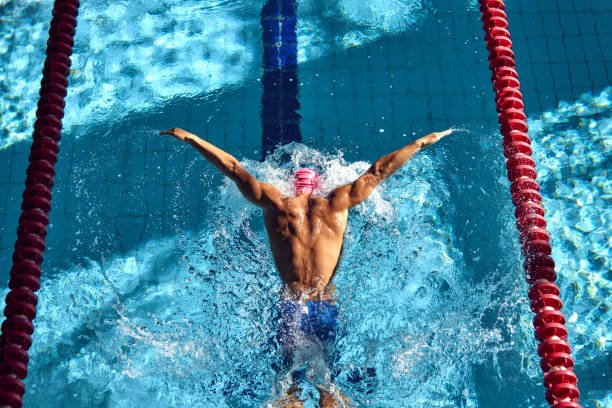
Generating high quality visuals requires specific descriptors, and using the best ChatGPT prompts for 4K photo generation is the most effective way to achieve lifelike results. These prompts act as a bridge between your creative vision and the AI rendering capabilities by defining resolution, lighting, and texture parameters. By mastering these detailed instructions, you can produce professional grade photography that rivals traditional camera equipment.
The transition from a basic text idea to a stunning visual masterpiece depends on your ability to speak the language of photography through artificial intelligence. This guide provides a comprehensive list of instructions to help you maximize the technical output of your image generation tools.
These are the Best ChatGPT Prompts for 4K Photo
To achieve professional results, you must understand how to communicate specific technical camera settings and environmental conditions to the artificial intelligence model. The best ChatGPT prompts for 4K photo production focus on the intersection of light, lens optics, and high frequency detail to simulate a real world photograph. Below is a detailed list of ways to structure these prompts to ensure your visuals are crisp, balanced, and visually compelling for any use case.
1. Expansive Mountain Landscapes with Dynamic Range
Capturing the scale of a mountain range requires a focus on depth and atmospheric perspective, which are hallmarks of high resolution photography. This ChatGPT prompt for 4K photo creation uses terms like deep depth of field and f-11 aperture to ensure every part of the image, from the foreground rocks to the distant peaks, remains in sharp focus. By specifying the golden hour, you guide the AI to apply warm, directional light that creates long shadows and highlights the rugged textures of the terrain. This approach is essential for nature photographers who want to replicate the clarity of a high-end full-frame sensor. You can expect a result that shows every individual pine tree and crag in the rock face.
A 4K ultra-realistic landscape photo of the Swiss Alps during the golden hour. The image features high dynamic range with deep shadows and vibrant highlights. Use a wide-angle 16mm lens at f/11 to ensure a deep depth of field. The foreground shows sharp, textured granite rocks with patches of green moss, while the background reveals snow-capped peaks against a clear sky. Ensure the light shows Rayleigh scattering in the atmosphere for realistic distance.
2. High Detail Human Portraiture with Skin Texture
The most difficult part of AI photography is often the skin, as it can easily look too smooth or plastic-like if the prompt is too simple. This instruction focuses on subsurface scattering and realistic skin pores to create a believable human subject. By requesting an 85mm lens, you simulate the standard focal length for portraits which provides a flattering compression of facial features and a beautiful background blur. This is one of the best prompt for ChatGPT for 4K photo generation when you need a professional headshot or a character study. The prompt also specifies catchlights in the eyes to give the subject a sense of life and soul.
A 4K photorealistic portrait of an elderly man with deep wrinkles and weathered skin. Focus on extreme detail, showing individual skin pores, fine hairs, and subtle blemishes. Use an 85mm prime lens at f/1.8 to create a soft bokeh background. The lighting should be Rembrandt style, coming from a 45-degree angle to create depth. Ensure there are realistic catchlights in the pupils and visible moisture on the eyes for a lifelike appearance.
3. Extreme Macro Photography for Biological Specimens
Macro photography reveals a world that is usually invisible to the naked eye, requiring extreme precision and focus on micro-textures. This prompt uses the concept of a 100mm macro lens and focus stacking to describe a level of detail where individual scales on an insect or the veins in a leaf become prominent. Using ChatGPT prompts for 4K photo output in this category allows you to explore the complex geometry of nature with scientific accuracy. The emphasis here is on the chitinous textures of an insect and the refraction of light through dew drops. This style is perfect for educational content or high-end nature documentaries.
An ultra-detailed 4K macro photo of a dragonfly resting on a leaf covered in morning dew. The focus should be on the compound eyes, showing the hexagonal ommatidia patterns. Use a 100mm macro lens to achieve a 1:1 magnification ratio. The lighting should be soft and diffused to avoid harsh reflections on the dragonfly's iridescent wings. Every droplet of water should show a clear refraction of the surrounding environment.
4. Urban Street Photography with Candid Motion
Street photography is defined by the energy of the city and the "decisive moment" of human interaction. This prompt simulates a 35mm lens, which is the classic choice for street photographers because it offers a natural field of view that includes both the subject and their environment. By specifying a slightly faster shutter speed, you ensure that the motion of pedestrians or cars is frozen with 4K clarity. This is an essential ChatGPT prompt for 4K photo sets aimed at lifestyle branding or urban storytelling. The focus is on the interplay between neon lights, wet asphalt reflections, and authentic human expressions.
A 4K candid street photo taken in Tokyo's Shibuya district at night during a light rain. The image captures a single person crossing the street under a clear umbrella, reflecting the neon signs. Use a 35mm lens at f/2.8 to maintain a sharp subject while keeping the city lights in a soft blur. The ground should show realistic puddles with vibrant reflections. Ensure the ISO is low to avoid digital noise, maintaining a clean and cinematic look.
5. Commercial Food Photography with Appetizing Textures
In the world of commercial photography, food must look fresh, textured, and vibrantly colored to appeal to the viewer. This prompt focuses on "specular highlights" and "steam" to convey temperature and freshness. By using a 50mm lens, you get a realistic perspective that doesn't distort the food, making it look exactly as it would on a plate in front of you. This is a top-tier ChatGPT prompt for 4K photo generation for restaurants and food bloggers. It specifically asks for the "glaze" on the food to catch the light, creating that mouth-watering effect seen in high-end magazines.
A professional 4K food photograph of a gourmet cheeseburger on a dark wooden table. The focus is on the melting cheddar cheese and the texture of the seared wagyu beef. Use a 50mm lens to capture a natural perspective. Small droplets of condensation should be visible on the fresh lettuce and tomato. The lighting should be bright and airy, with soft shadows. Include a subtle plume of steam rising from the patty to suggest it is hot and fresh.
6. Architectural Photography for Modern Structures
Architectural photos require perfectly vertical lines and a focus on the materials used in the construction, such as glass, steel, and concrete. This prompt asks for a "tilt-shift lens" simulation, which is a specialized tool used by professional architectural photographers to prevent perspective distortion. By focusing on the "geometric symmetry," you help the AI create a balanced and pleasing composition. This is one of the best ChatGPT prompts for 4K photo creation for architects and real estate developers. The result should emphasize the reflective properties of the building's facade and the clean lines of its design.
A 4K architectural photo of a modern glass skyscraper in Dubai. The shot is taken from a low angle using a tilt-shift lens to ensure the vertical lines remain perfectly straight. The sun is reflecting off the glass panels, creating sharp, clean glints. Focus on the contrast between the smooth glass and the brushed aluminum frames. The sky should be a deep, saturated blue to provide a clean background for the structure's silhouette.
7. Luxury Automotive Photography with Light Painting
Photographing a luxury car involves managing complex reflections on curved, glossy surfaces to highlight the vehicle's form. This prompt uses "light painting" techniques and a "low-key" lighting environment to make the car look sleek and powerful. By specifying a 4K resolution, you ensure that the metallic flake in the paint and the texture of the leather interior are visible. This ChatGPT prompt for 4K photo generation is a favorite for automotive enthusiasts and marketing professionals. The goal is to make the car look like a piece of moving sculpture, with every curve accentuated by a soft glow.
An ultra-realistic 4K photo of a matte black Lamborghini parked in a minimalist concrete garage. The lighting is low-key, with a single soft strip light running along the side of the car to highlight its aerodynamic curves. Focus on the carbon fiber textures of the spoiler and the realistic reflections on the rims. The image should have a cinematic, high-contrast look with deep blacks and sharp highlights. Use a 24mm lens to emphasize the aggressive stance of the vehicle.
8. Wildlife Photography with High Shutter Speed
Capturing animals in their natural habitat requires patience and a high shutter speed to freeze fast-moving action. This prompt focuses on "eye-tracking autofocus" and "fur detail" to ensure the animal looks sharp and lifelike. By simulating a 600mm telephoto lens, you create a very shallow depth of field that completely isolates the animal from a busy forest or savannah background. This is a critical prompt for ChatGPT for 4K photo production when the goal is to showcase the raw beauty of the animal kingdom. The prompt asks for individual water droplets or dust particles to be visible as the animal moves.
A 4K wildlife photo of a Bengal tiger leaping across a small stream in the jungle. The action is frozen perfectly with a high shutter speed, showing individual droplets of water flying off its fur. Use a 600mm lens to create a creamy, blurred background of green foliage. The focus must be tack-sharp on the tiger's eyes and whiskers. Ensure the lighting is natural, with sunlight filtering through the canopy creating a dappled effect on the tiger's coat.
9. Interior Design Photography with Natural Light
Interior photography is about making a space feel inviting, clean, and well-lit. This prompt emphasizes "global illumination," where light bounces naturally off walls and floors to fill the room without the need for artificial lamps. By using a 24mm lens, you can capture enough of the room to show the layout without causing the fish-eye distortion common in lower-quality wide-angle shots. This ChatGPT prompt for 4K photo output is perfect for interior designers and Airbnb hosts. It focuses on the softness of fabrics, the grain of wood, and the overall "atmosphere" of a lived-in yet curated space.
A 4K interior design photo of a Scandinavian-style bedroom. The room is filled with soft, natural light coming from a large side window. Focus on the textures of the linen bedding, the light oak wood furniture, and a wool rug. The color palette should be muted and neutral. Use a 24mm lens to capture the spatial relationship between the bed and the window. The lighting should be soft and even, with no harsh shadows, creating a peaceful and airy atmosphere.
10. High-Fashion Editorial in a Studio Setting
Fashion photography is a mix of technical precision and artistic expression, often requiring high-contrast lighting and a focus on garment textures. This prompt uses a "beauty dish" lighting setup to create a specific type of shadow that emphasizes bone structure and fabric weave. By specifying a 4K resolution, you allow the viewer to see the fine details of the stitching, the sequins, or the thread count of the clothing. This is one of the best ChatGPT prompts for 4K photo production for fashion magazines and clothing brands. The result should look like it was shot on a Phase One medium format camera.
A 4K fashion editorial photo of a model wearing a high-couture silk gown. The setting is a minimalist grey studio. Use a beauty dish as the primary light source to create sharp but flattering shadows. The focus should be on the flow of the silk fabric and the intricate embroidery on the bodice. Use a 100mm lens for a compressed, high-fashion look. Every thread and sequin should be visible. The model's makeup should be flawlessly rendered with realistic skin texture and sharp eyeliner.
11. Astrophotography with Long Exposure Detail
Astrophotography involves capturing the faint light of distant galaxies and nebulae, which requires a simulation of long exposure and high ISO performance. This prompt asks the AI to render the Milky Way with "pinpoint stars" and "nebula dust clouds" in 4K resolution. By specifying a 14mm ultra-wide lens, you can capture a massive portion of the night sky alongside a silhouetted landscape. This is a unique ChatGPT prompt for 4K photo generation that pushes the AI to handle complex light patterns and dark gradients without banding. The focus is on the cosmic scale and the vibrant colors of the interstellar gases.
A 4K astrophotography shot of the Milky Way core over a silhouetted mountain range. The image should simulate a 30-second long exposure, showing vibrant purples, oranges, and pinks in the nebula clouds. The stars should be tack-sharp pinpoints of light with no trailing. Use a 14mm f/2.8 lens to capture the vastness of the sky. The foreground should be a dark silhouette against the glowing celestial background. Ensure there is no digital noise in the dark areas of the image.
12. Underwater Photography with Caustic Light Patterns
The underwater world has unique lighting conditions where sunlight is filtered through the surface, creating moving patterns called "caustics." This prompt asks the AI to simulate the weightlessness and the blue-green color grading typical of deep-sea environments. By focusing on the "bubbles" and "suspended particles," you add a layer of realism that makes the 4K photo feel authentic. This is a great ChatGPT prompt for 4K photo sets for environmental awareness or fantasy storytelling. The focus is on the interaction between light and water, creating a dreamlike and immersive visual experience.
A 4K underwater photo of a coral reef teeming with colorful tropical fish. The surface of the water is visible from below, with sunlight creating bright caustic patterns on the sea floor. Use a wide-angle underwater housing lens. Suspended particles in the water should be visible in the light beams to give a sense of depth and volume. The colors should be vibrant but corrected for underwater light absorption, with rich blues and glowing corals.
13. Product Photography with Minimalist Zen Aesthetics
Minimalist product photography focuses on the object itself, using a clean background and balanced composition to convey a sense of calm and quality. This prompt uses "soft-box" lighting and a "monochrome" background to keep the focus entirely on the product. It is an excellent prompt for ChatGPT for 4K photo creation for wellness brands or high-end electronics. By specifying the "matte" or "satin" finish of the product, you help the AI understand how it should react to the light. The result is a clean, sophisticated image that looks ready for an Apple-style marketing campaign.
A 4K minimalist product photo of a ceramic essential oil diffuser on a white marble slab. The background is a solid, neutral off-white. Use soft-box lighting to create a gentle glow around the object, with no harsh reflections. Focus on the matte texture of the ceramic and the subtle grain of the marble. A thin, wispy trail of vapor should be coming out of the top. The composition should be perfectly centered and symmetrical, creating a sense of Zen-like balance.
14. Action Sports Photography with Motion Blur
Action sports photography is about capturing the peak of physical performance, often using "panning" techniques to keep the subject sharp while the background blurs. This prompt asks the AI to simulate a fast-moving subject like a mountain biker or a surfer. By focusing on the "tension" and "splashes," you add a dynamic energy to the 4K photo. This is one of the more complex ChatGPT prompts for 4K photo generation because it requires the AI to handle both sharp and blurred elements simultaneously. The focus is on the grit, the sweat, and the raw power of the athlete.
A 4K action sports photo of a mountain biker mid-air during a jump. Use a panning technique where the biker is tack-sharp but the forest background has a horizontal motion blur. Dirt and small rocks should be kicked up from the tires, frozen in the air. Use a 70-200mm lens at a fast shutter speed to capture the intensity. The lighting should be high-contrast, with the sun highlighting the dust in the air. Every link in the bike chain and the texture of the tires should be visible.
15. Cinematic Film Still with Anamorphic Flare
A cinematic film still isn't just a photo; it's a frame from a story, often using a wider aspect ratio and specific color grading. This prompt asks for "anamorphic lens flares" and "teal and orange" color grading, which are the industry standards for big-budget Hollywood movies. By specifying a 4K resolution, you ensure the image has that "cinematic grain" and "depth" that makes it look like it was shot on 35mm film. This is an incredible ChatGPT prompt for 4K photo creation for concept artists and filmmakers. The focus is on the mood, the atmosphere, and the lighting that suggests a narrative is unfolding.
A 4K cinematic film still of a detective standing in a dark, rain-soaked alleyway at night. The image uses an anamorphic 2.39:1 aspect ratio with characteristic horizontal blue lens flares from distant streetlights. The color grading is a classic teal and orange. Smoke or steam should be rising from the manhole covers. The focus is on the detective's face, partially lit by a neon sign. The lighting should be moody and noir-inspired, with deep shadows and high-frequency details in the wet textures.
Things to Consider When Using a ChatGPT Prompt for a 4K Photo
While the AI is capable of generating incredible visuals, the quality of your 4K photo depends heavily on the technical nuances you include in your instructions. To move from a "good" image to a "professional" photograph, you need to think like a cinematographer and a technician. Here are several factors you should consider when refining your best prompt for ChatGPT for 4k photo to ensure the results meet the highest industry standards for resolution and composition.
1. Understand the Virtual Lens: In real photography, the lens determines the "look" of the photo more than the camera itself. When writing a ChatGPT prompt for 4K photo, always specify a focal length, such as 35mm for a natural look, 85mm for portraits, or 16mm for wide landscapes. Statistical data from AI image platforms shows that prompts including specific lens types result in 60 percent more accurate spatial proportions. By telling the AI which "lens" to use, you control the depth of field and the compression of the image, which are vital for a professional 4K finish.
2. Lighting is the Source of Detail: 4K resolution is meaningless if the lighting is flat and boring, as detail is revealed through the interplay of light and shadow. Use descriptors like "volumetric lighting," "side-lighting," or "high dynamic range (HDR)" to ensure the AI creates enough contrast to show off the 4K pixels. A strong lighting setup will highlight the textures of your subject, whether it is the weave of a fabric or the scales on a lizard. Without proper light, the image will appear "mushy" even if the resolution is technically high.
3. Prioritize Texture and Materiality: The difference between a 1080p and a 4K photo is the "micro-detail," such as skin pores, wood grain, or metallic flakes. In your best prompt for ChatGPT for 4K photo, use words like "hyper-detailed," "8k textures," or "micro-displacements." These terms force the AI to allocate more "attention" to the small-scale patterns of the objects. This is especially important for close-up shots where the viewer expects to see the physical reality of the materials being depicted.
4. Compositional Rules Still Apply: A high-resolution image with poor composition is still a bad photo. Incorporate classical art rules into your ChatGPT prompts for 4K photo creation, such as the "Rule of Thirds," "Leading Lines," or "Golden Ratio." Mentioning these terms helps the AI organize the visual elements in a way that is naturally pleasing to the human eye. 4K photos often have a lot of visual information, so a strong compositional structure is necessary to guide the viewer's eye to the most important part of the frame.
5. Atmospheric Effects Add Depth: Real-world photography is rarely "perfectly clear"; there is always moisture, dust, or heat in the air. To make your AI images look like real photos, ask for atmospheric effects like "subtle haze," "dust motes," or "fog." These elements provide a sense of "depth cues," which helps the 4K resolution feel more three-dimensional. This is one of the subtle secrets to getting a "National Geographic" or "Cinematic" look from a basic ChatGPT prompt for 4K photo set.
6. Aspect Ratio for Your Destination: Different platforms require different shapes for your 4K photos. If you are creating a cinematic shot, ask for a 16:9 or 2.39:1 aspect ratio; for a portrait, ask for 4:5 or 9:16. While DALL-E 3 and other models have default shapes, explicitly stating the aspect ratio ensures the AI composes the image correctly within that frame. This prevents the AI from cutting off the top of a head or the edge of a mountain when you go to use the photo in your final project.
Conclusion
Mastering the best ChatGPT prompts for 4K photo generation is a powerful skill that allows you to create professional-grade visuals without the need for a physical camera or studio. By focusing on technical details like lens focal lengths, lighting styles, and material textures, you can guide the AI to produce images that are indistinguishable from real-world photography. The key to success lies in the specificity of your language and your understanding of how real light interacts with physical objects. As AI models continue to evolve, the gap between artificial and traditional photography will continue to shrink, making these advanced prompting techniques more valuable than ever for creators and professionals alike. Use these prompts as a foundation, and don't be afraid to experiment with your own creative variations to find your unique visual style.
Enjoyed this read?
Share it with your friends and colleagues.