Best Ai Tools For Adding Someone To A Photo

AskSide
October 22, 2026
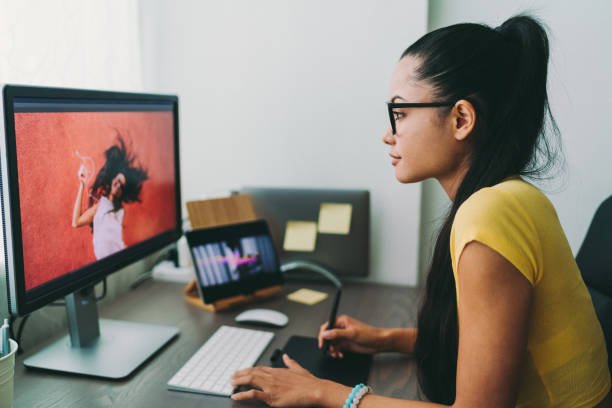
Using the best AI tools for adding someone to a photo makes it possible to insert a person into an existing image while keeping the result natural and realistic. These tools use generative AI and image blending technology to match lighting, perspective, and facial alignment. As a result, even users without editing skills can create professional-looking composite photos in minutes.
AI photo editing has improved significantly, making tasks like face insertion, background matching, and shadow correction much easier than traditional editing software. Choosing the right tool depends on realism, ease of use, and editing control.
These are the Best AI Tools For Adding Someone To A Photo
The best AI tools for adding someone to a photo focus on realistic face placement, seamless blending, and background consistency. Below are the most reliable platforms used for AI-powered photo compositing and face insertion.
1. Adobe Photoshop AI (Generative Fill)
Adobe Photoshop with Generative Fill is one of the most advanced tools for inserting people into photos. It can automatically generate missing parts of an image and blend a new person into the scene using lighting and perspective matching. For example, you can select an empty space in a group photo and prompt the AI to add a person naturally. This tool is widely used by professional designers due to its high accuracy. A key tip is to refine selections for better realism before applying AI generation.
2. Canva AI Photo Editor
Canva AI makes it simple to add people into photos using drag-and-drop editing combined with AI background blending. It automatically adjusts lighting and shadows to match the original image. For example, you can place a person into a travel photo or event picture and resize them easily. It is ideal for beginners and marketers who need fast results. Canva is especially useful for social media content creation.
3. Picsart AI Replace and Add Tool
Picsart provides AI-powered tools that allow users to insert people into photos and adjust them with filters and blending effects. It includes a “Replace” feature that can modify or add subjects while maintaining image consistency. For example, users can add a missing friend into a group picture and adjust the lighting automatically. It is popular among mobile users due to its simplicity. A helpful tip is to fine-tune edges for smoother blending.
4. Luminar Neo AI Relight and Composition Tools
Luminar Neo uses advanced AI for photo composition and lighting correction when adding new subjects. It can automatically adjust shadows and brightness to make inserted people look natural in the scene. For example, if a person is added into an outdoor sunset photo, the lighting is adjusted to match the environment. This tool is often used by photographers for professional editing. It offers more control compared to mobile apps.
5. Remini AI Photo Enhancer
Remini is known for enhancing image quality, but it also supports AI-based face enhancement when adding people to photos. It ensures that inserted faces match the resolution and clarity of the original image. For example, older or blurry photos can be updated with new inserted subjects while maintaining sharpness. It is especially useful for restoring and editing personal photos. It works best for quick mobile edits.
6. Reface AI for Face Insertion
Reface is a popular AI app that specializes in face swapping and inserting faces into different images or videos. It automatically maps facial features and blends them into the target photo. For example, users can place themselves into movie scenes or group photos. It is widely used for entertainment and social media content. The app is simple but focuses more on fun edits than professional accuracy.
7. Fotor AI Photo Editor
Fotor uses AI tools to help users add and blend people into photos with minimal effort. It includes background removal, object placement, and lighting adjustments. For example, users can insert a person into a landscape photo and automatically adjust shadows for realism. It is a web-based tool that is easy to use for beginners. Fotor is best for quick edits and marketing visuals.
8. Runway ML Image Editing AI
Runway ML offers advanced AI image editing tools that allow users to add people into scenes using generative AI. It focuses on professional-level editing with precise control over composition and realism. For example, it can generate a person standing naturally in a complex background like a city street. It is widely used by designers and content creators. This tool is best suited for advanced users who need high-quality results.
9. PhotoRoom AI Editor
PhotoRoom specializes in background editing and subject placement, making it easy to insert people into different environments. It automatically removes backgrounds and replaces them with AI-generated or custom scenes. For example, users can place a person into a professional studio background or outdoor setting. It is especially popular for product and portrait photography. It is fast and mobile-friendly.
10. DeepSwap AI for Realistic Face Integration
DeepSwap uses deep learning technology to insert and replace faces in images with high realism. It ensures facial alignment, expression matching, and lighting consistency. For example, it can place a person into a group photo while maintaining natural expression blending. It is often used for creative editing and media production. However, users should carefully review outputs for realism adjustments.
Things to Consider When Choosing AI Tools for Adding Someone to a Photo
1. Realism of Image Blending: The most important factor in AI for adding someone to a photo is how well the tool matches lighting, shadows, and perspective. Poor blending can make edits look artificial.
2. Ease of Use: Some tools are designed for professionals, while others are beginner-friendly. Choose a platform that matches your skill level to avoid unnecessary complexity.
3. Editing Control and Customization: Advanced tools offer more control over positioning, scaling, and blending. This is important when precision is needed for professional results.
4. Speed of Processing: Fast AI rendering is useful when editing multiple images or working under tight deadlines. Cloud-based tools often provide quicker results.
5. Mobile vs Desktop Availability: Some tools work better on mobile apps, while others are designed for desktop editing. Choose based on your workflow needs.
6. Use Case Purpose: The best AI tools for adding someone to a photo depend on whether you are creating social media content, professional photography, or casual edits. Each category may require different features.
Conclusion
The best AI tools for adding someone to a photo make it easy to create realistic and seamless image compositions without advanced editing skills. Platforms like Photoshop AI, Canva, and Runway ML offer powerful blending and generative features for different user needs. With the right AI tools for adding someone to a photo, users can achieve professional-quality results in seconds. However, attention to detail is still important to ensure natural-looking outputs. As AI continues to evolve, photo editing will become even more accessible and realistic for everyone.
Enjoyed this read?
Share it with your friends and colleagues.