
Best AI Apps To Use On iPhones

AskSide
October 22, 2026
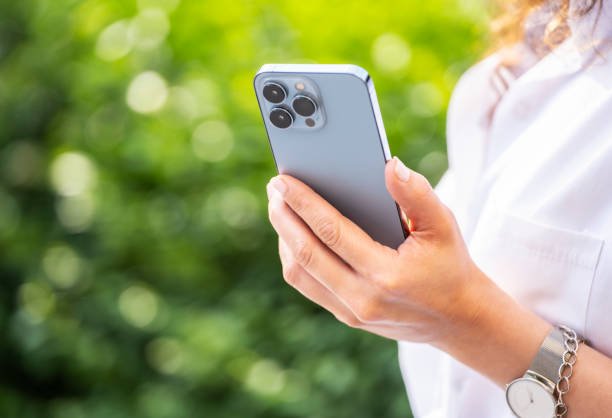
Identifying the best AI apps to use on iPhones is essential for users who want to enhance their productivity and creativity through specialized mobile software. These applications integrate seamlessly with the iOS ecosystem to provide features like instant text generation, voice assistance, and advanced image editing while on the go. Using artificial intelligence on a smartphone allows for real-time problem solving and streamlined workflows without the need for a desktop computer.
The marketplace for mobile software has evolved significantly, with developers now prioritizing Apple hardware for their most advanced model deployments and neural engine optimizations. This guide provides a detailed analysis of the top-tier applications that leverage the iPhone's processing power to deliver peak performance for every user type.
These are the best AI apps to use on iPhones
Apple devices have become the primary platform for many of the world's most innovative software developers, leading to an explosion of high-quality applications in the App Store. When searching for the best AI app to use on iPhones, it is important to consider how well the software utilizes the local hardware versus relying purely on cloud processing. Recent hardware statistics indicate that the Neural Engine in modern iPhones can perform trillions of operations per second, making them ideal for running complex machine learning tasks locally. From writing assistants to visual search engines, these tools are designed to make your daily interactions with technology faster and more intuitive. Below is a comprehensive list of the most effective and reliable applications currently available for the iOS platform.
1. ChatGPT
ChatGPT remains the most versatile and widely recognized chatbot available today, offering a native iOS experience that is both fast and feature-rich. It allows users to engage in natural conversations, generate creative writing, and solve complex mathematical problems using the latest GPT-4o models. The mobile version includes a highly impressive voice mode that lets you talk to the assistant hands-free, which is the best AI tool for multitasking during a commute or while working at home. A useful tip for iPhone users is to use the integrated camera feature to snap photos of physical objects or documents, allowing the AI to analyze and summarize them instantly. This application sets the standard for mobile conversational intelligence by providing a clean interface that syncs perfectly across all your Apple devices.
2. Claude
Claude is widely praised by researchers and writers for its human-like tone and exceptional reasoning capabilities, and its iOS app brings this power to your pocket. It features a massive context window, which means you can upload long PDFs or legal documents and ask the AI to find specific details or summarize the entire text in seconds. Many people find this to be the best AI for creative writing because the model tends to avoid the repetitive or "robotic" patterns often found in other generative tools. The app also includes an "Artifacts" feature that allows you to view code, websites, and documents in a dedicated window alongside your chat. For developers and students, this is an invaluable tool for reviewing work and generating ideas while away from a desk.
3. Perplexity
Perplexity is a specialized search assistant that combines the power of large language models with real-time web access to provide cited answers to your questions. Instead of giving you a list of links, it writes a cohesive summary of the information you are looking for and provides clickable sources to verify the facts. This makes it the best AI app to use on iPhones for users who value accuracy and need to perform deep research quickly. The app features a "Discover" tab that highlights trending topics and global news, summarized by AI for quick consumption. A great tip is to use the "Pro" toggle to access more advanced models like Claude 3 or GPT-4 for particularly difficult queries that require deeper reasoning.
4. Microsoft Copilot
Microsoft Copilot brings the power of the Bing search engine and the GPT-4 architecture into a single, cohesive mobile application. It is unique because it offers free access to high-end models and the DALL-E 3 image generator without requiring a paid subscription. For those who use Microsoft 365 at work or school, this is the best AI tool for productivity because it can help draft emails and summarize documents within the familiar Microsoft ecosystem. The app also includes a "Creative Mode" that is excellent for generating high-quality AI art directly on your phone. Users often appreciate the ability to switch between different conversation styles, such as Precise, Balanced, or Creative, depending on the specific task at hand.
5. Arc Search
Arc Search is a revolutionary mobile browser that uses artificial intelligence to change how we interact with the web. Its "Browse for Me" feature is a game-changer; instead of showing you a list of search results, it creates a custom-built webpage that summarizes the best information from multiple sources. This makes it the best AI app to use on iPhones for finding quick answers about recipes, travel itineraries, or technical guides. The app also includes built-in ad blocking and privacy features that make the browsing experience much cleaner and faster. It is designed with a "keyboard-first" interface that feels very natural on a touchscreen, allowing for rapid navigation and discovery.
6. Google Gemini
Google Gemini is integrated directly into the Google app on iOS, providing a powerful assistant that can access your Gmail, Drive, and Maps data to provide personalized help. It is the best AI for Google ecosystem users because it can summarize your unread emails or help you find a specific document in your cloud storage using natural language. The Gemini model is exceptionally good at creative brainstorming and can generate images or code snippets with high speed. On iPhone, you can easily toggle between standard Google Search and the Gemini assistant at the top of the app. This allows for a flexible experience where you can get traditional search results or a full AI-generated explanation depending on your needs.
7. Otter.ai
Otter.ai is a specialized transcription and note-taking app that is essential for anyone who attends many meetings or lectures. It uses artificial intelligence to record audio and provide a real-time transcript that identifies different speakers and highlights key action items. This is the best AI tool for students and journalists who need to capture every word without being distracted by manual note-taking. The iPhone app allows you to record in the background while using other apps, ensuring you never miss a beat during a long presentation. You can also search through your past transcripts using keywords, making it easy to find that one specific quote from a meeting that happened months ago.
8. Grammarly
Grammarly has expanded far beyond simple spell-checking to become a comprehensive writing assistant that integrates directly into your iPhone's keyboard. It uses AI to analyze the tone, clarity, and correctness of your writing in any app, from Messages to Slack. This makes it the best AI app to use on iPhones for professionals who want to ensure their mobile communications are always polished and error-free. The app also features a "Generative AI" button that can help you rewrite entire paragraphs or change the tone of a message with a single tap. By providing real-time feedback as you type, it helps you become a more effective communicator without requiring you to copy and paste text into a separate editor.
9. Canva
Canva has integrated a suite of AI features called "Magic Studio" into its mobile app, making it incredibly easy to create professional designs on the go. You can use the "Magic Media" tool to generate images and videos from text prompts, or use "Magic Edit" to swap out objects in a photo with just a few taps. For small business owners and social media managers, this is the best AI tool for visual content because it democratizes high-end graphic design. The app also includes an AI-powered "Magic Switch" that can transform a social media post into a presentation or a document instantly. These features allow you to maintain a consistent visual brand without needing a background in professional design software.
10. Character.ai
Character.ai offers a unique and entertaining way to interact with artificial intelligence by allowing you to chat with thousands of different personas. Whether you want to practice a new language with a virtual tutor or debate philosophy with a digital version of Socrates, this app provides a highly engaging experience. It is the best AI for roleplaying and creative exploration on the iPhone, featuring a dedicated mobile interface that supports quick messaging and character discovery. The AI models are trained to maintain a specific personality and voice, making the conversations feel much more immersive than a standard chatbot. Many users find it a great tool for curing boredom or finding creative inspiration for their own stories and games.
11. Photomath
Photomath is an educational powerhouse that uses computer vision and artificial intelligence to solve complex math problems in an instant. You simply point your iPhone's camera at a handwritten or printed equation, and the app provides a step-by-step explanation of how to solve it. This is the best AI app to use on iPhones for students who need extra help with their homework or want to check their work. Unlike a simple calculator, Photomath focuses on the "how" and "why" of the solution, helping users actually learn the underlying mathematical concepts. The app covers everything from basic arithmetic to advanced calculus, making it a valuable tool for learners of all ages and skill levels.
12. Poe
Poe, created by Quora, is a unique platform that gives you access to almost every major AI model in a single application. You can switch between ChatGPT, Claude, Llama, and specialized community-created bots without having to manage multiple subscriptions. This makes it the best AI tool for power users who want to compare how different models handle the same prompt or task. The app also allows you to create your own "bot" with specific instructions, which you can then share with the community or keep for your personal use. The interface is optimized for mobile messaging, and the synchronization across devices ensures that your custom bots are always available whenever you need them.
13. Lensa AI
Lensa AI gained massive popularity for its "Magic Avatars" feature, which uses stable diffusion to turn your selfies into high-quality digital art in various styles. Beyond avatars, it is a powerful photo editor that uses artificial intelligence to perform "one-tap" retouching and background removal. This is the best AI app to use on iPhones for photography enthusiasts who want to enhance their images without spending hours in a complex editor. The app can automatically identify skin blemishes, adjust lighting, and even blur the background to create a professional portrait effect. Its ease of use and impressive results make it a staple for anyone who wants their social media photos to stand out from the crowd.
14. Pi
Pi is designed to be a "Personal Intelligence" that focuses on emotional support, friendly conversation, and active listening. Unlike productivity-focused assistants, Pi is the best AI for mental well-being and casual chatting because it has a very high level of emotional intelligence. The iPhone app features a "Call Pi" mode that is arguably the most realistic voice interaction available on mobile, making it feel like you are talking to a real person. It remembers your previous conversations and follows up on your goals and interests, providing a sense of continuity and support. For those who want a digital companion to talk through their day with, Pi is an incredibly soothing and helpful tool to have on your phone.
15. Seeing AI
Seeing AI is a remarkable accessibility tool developed by Microsoft that uses the iPhone's camera to describe the world for people who are blind or have low vision. It can read text aloud as it appears in front of the camera, identify products by their barcodes, and even describe the people and emotions in a room. This is the best AI app to use on iPhones for social impact, demonstrating how artificial intelligence can significantly improve the quality of life for millions of people. The app includes specialized modes for identifying currency, recognizing colors, and even describing the brightness of the environment. It is a powerful example of how mobile AI can act as a set of digital eyes, providing independence and information in real-time.
Things to Consider When Choosing an AI App to Use on iPhones
Selecting the right digital assistant for your mobile device requires a balance between feature sets, privacy standards, and system performance. With over 2 million apps available in the App Store, finding the best AI tool for personal needs can be a daunting task if you don't know what to look for. Here are the primary factors you should evaluate before integrating a new artificial intelligence tool into your daily iPhone routine.
1. Privacy and Data Security: Many AI applications require you to upload your data, photos, or documents to their servers for processing. It is critical to investigate if the developer uses your data to train their future models or if they have an "opt-out" policy for data collection. The best AI app to use on iPhones should have a transparent privacy policy and, ideally, offer some level of on-device processing to ensure your sensitive information never leaves your phone. Always check if the app supports "Sign in with Apple" for an extra layer of identity protection.
2. Battery Impact and Resource Usage: Running large machine learning models can be extremely taxing on your iPhone's battery and processor. Some apps that perform local processing might cause your device to heat up or drain the battery faster than traditional software. If you find that an app is significantly impacting your phone's performance, you might prefer a cloud-based alternative that does the heavy lifting on a remote server. Monitor your "Battery" settings in iOS to see which AI tools are the most demanding throughout the day.
3. Ecosystem Integration: For a tool to be truly useful on mobile, it should integrate well with other iOS features like Siri Shortcuts, Widgets, and the Share Sheet. The best AI app to use on iPhones is one that you can trigger with a voice command or access quickly from your lock screen without opening the full application. Check if the app supports "Handoff," which allows you to start a task on your iPhone and finish it on your Mac or iPad seamlessly. This level of integration is what separates a basic app from a professional productivity powerhouse.
4. Subscription Models and Hidden Costs: While many AI apps are free to download, the most advanced features are often locked behind a "Pro" subscription that can cost between $10 and $30 per month. You should evaluate if the free tier provides enough value for your needs or if the subscription offers cross-platform access. Some apps use a "credit" system where you pay for each generation or transcription, which might be more cost-effective for occasional users. Always check for "Family Sharing" support if you want to share the subscription with other members of your household.
5. Offline Capabilities: If you travel frequently or live in an area with poor cellular service, you may need an AI tool that works without an active internet connection. While most generative tools require the cloud, some apps for translation, transcription, and basic text editing can run entirely on your phone's local hardware. Identifying an AI for offline use ensures that you remain productive even when you are disconnected from the web. Local models are generally faster but may be slightly less accurate than their massive cloud-based counterparts.
6. User Interface and Accessibility: A mobile app should be easy to use with one hand and feature large, clear buttons and intuitive navigation. If the interface is too cluttered or requires complex prompting skills, it may not be practical for quick use on the go. Additionally, check if the app supports standard iOS accessibility features like VoiceOver and Dynamic Type to ensure it is usable for everyone. The best tools are those that prioritize a "mobile-first" design rather than just shrinking a desktop website to fit a smaller screen.
Conclusion
Adopting the best AI app to use on iPhones is a transformative way to leverage the latest technological breakthroughs for personal growth and professional efficiency. By curating a selection of tools that handle everything from creative writing to complex research, you can turn your smartphone into an unparalleled strongest asset for navigating the modern world. Whether you are a student using Photomath to master algebra or a professional using Otter.ai to manage corporate meetings, the right application makes every task significantly easier. As Apple continues to enhance its local hardware and neural processing capabilities, we can expect these mobile assistants to become even faster and more deeply integrated into our lives. Ultimately, the best AI app to use on iPhones is the one that fits seamlessly into your unique lifestyle and helps you achieve your goals with less effort. With so many powerful options available at your fingertips, there has never been a better time to explore the vast potential of artificial intelligence on the go.
Enjoyed this read?
Share it with your friends and colleagues.